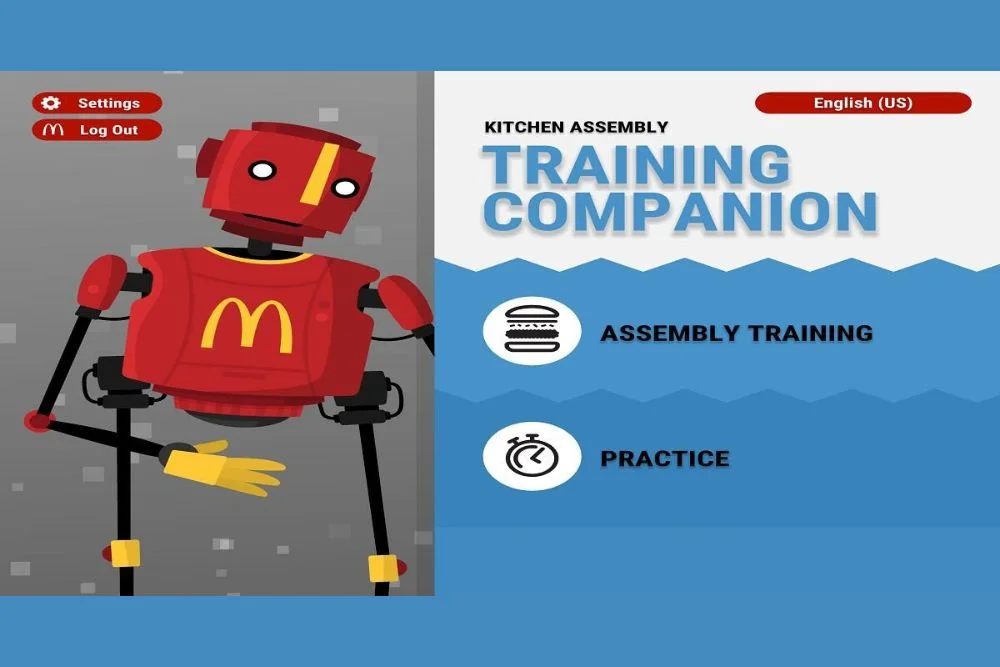
Speed is one of the most important skills for any McDonald’s cashier. Whether you’re learning through the McDonald’s POS Training Simulator or practicing for an upcoming shift, improving your order-taking speed directly affects customer satisfaction, drive-thru performance, and overall workflow inside the restaurant.
This guide shows you exactly how to increase your speed using the simulator — with professional techniques used by real crew trainers.
If you haven’t downloaded the simulator yet, you can get the APK, iOS, and online version from our POS Training Download page.
Why Speed Matters So Much in McDonald’s POS Training
McDonald’s has strict service-time expectations:
- Counter orders: under 60 seconds
- Drive-thru orders: under 45 seconds
- Breakfast rush: as fast as possible
- Mobile orders: near-instant input
Customers expect quick, accurate order management, which the simulator helps you learn before you even step inside the restaurant.
Speed improves when:
- You know where menu items are
- You reduce hesitation
- You build thumb/finger tapping patterns
- You understand common customer combinations
- You become comfortable with customizations
Let me go down the tactics that will dramatically increase your speed.
1. Memorize High-Frequency Items (The Secret to Real Speed)
At least 80% of all McDonald’s orders come from a small list of items.
If you master these spots, your speed will immediately rise.
Core Burgers
- Big Mac
- McChicken
- Quarter Pounder
- Double Cheeseburger
Popular Add-ons
- Fries
- McFlurry
- Apple Pie
Drinks
- Coke
- Sprite
- Iced Coffee
- Frappe
Breakfast
- Sausage McMuffin
- Hash Browns
Find these 20-25 things repeatedly inside the simulator.
This alone can reduce order time by 10–15 seconds.
If you’re new, read our full Beginner POS Guide on the main McDonald’s POS Training Simulator page for step-by-step basics.
2. Build Menu Navigation Muscle Memory
Speed is NOT about thinking fast.
Speed comes from not needing to think at all.
To build muscle memory:
Practice moving between these screens:
- Burgers → Meals → Drink Selection
- Chicken → McChicken → Customization
- Drinks → Frappe → Size → Add to Order
- Breakfast → Sandwich → Meal → Hash Browns
Do these transitions 10–15 times each day.
After one week, your screen switching pace will become automatic.
3. Use Quick Game Mode Daily
The simulator’s Quick Game Mode is specifically designed for:
- Fast reaction training
- Rapid tapping
- Immediate decision-making
- Familiarizing yourself with item placement
Every round forces you to:
- Think faster
- Tap faster
- Move between categories without hesitation
Complete two Quick Game rounds per day to see results in less than a week.
You can access it from the online POS training version if you prefer browser practice.
4. Train With Realistic Order Scripts (Pro Crew Trainer Method)
Professional McDonald’s trainers employ “order scripts” to increase cashier efficiency.
Here are some sample orders to practice:
Order Script 1:
- Big Mac Meal → Large Coke
- McFlurry
- Extra ketchup
Order Script 2:
- 10-pc Nuggets Meal
- Sweet & Sour sauce
- Medium Frappe
Order Script 3:
- Sausage McMuffin Meal
- Hash Browns
- Large Iced Coffee
Practice taking each order 10 times until the workflow becomes automatic.
You will notice your time cut in half.
5. Reduce Your Decision Time with the “Three-Click Rule”
A fast cashier follows this rule:
You should tap the correct screen within 3 clicks every time.
Meaning:
- Click 1 → Category
- Click 2 → Item
- Click 3 → Meal or customization
If a task requires more than 3 taps, rehearse the flow until it is shorter.
This is the exact technique used in real McDonald’s crew training.
6. Improve Customization Speed (The #1 Time-Waster)
Custom requests are the most time-consuming for novices.
Practice these common modifications:
- No onion
- No pickles
- Add cheese
- Change drink
- Change fries size
- Remove sauce
The simulator teaches you customizing layouts rapidly.
You can find customization practice on the POS Training Game Download page, especially the mobile versions.
7. Master Payment Speed Through Repetition
Payments constitute the final stage of the speed cycle.
Practice:
Card Payments
- Fastest method
- Simply tap Card → Complete
Exact Amount
- Tap Exact
- Order completes instantly
Cash
Requires entering amounts
Practice entering:
- $10
- $20
- $50
Cash handling speed distinguishes good cashiers from excellent ones.
8. Train for Accuracy First — Speed Comes Second
A common mistake:
“Trying to be fast before becoming accurate.”
Fast mistakes take more time to fix.
Your progression should be:
- Accuracy: 95%+
- Menu familiarity
- Screen transitions
- Payment speed
- Quick Game mode
Once you have good accuracy, your speed will naturally improve.
9. Practice on Both Mobile & Desktop
Why?
Because genuine McDonald’s POS terminals function similarly to desktop computers, whereas muscle memory develops differently on mobile devices.
By practicing on both:
- Your tapping improves
- Your transitions become smoother
- You adapt to layout changes faster
If you need installation help, use the download page to pick APK or iOS versions.
10. Track Your Progress and Reduce Your Average Completion Time
Inside the simulator, aim for:
- Beginner goal: Under 35 seconds per order
- Intermediate goal: Under 25 seconds
- Pro-level goal: Under 18 seconds
Lowering your average time is the most measurable approach to improve.
Conclusion
Improving speed on the McDonald’s POS Training Game requires practice, repetition, and familiarity with the most popular menu items. Using Quick Game Mode, mastering category transitions, practicing real order scripts, and putting accuracy first can help you improve your response time and confidence quickly.
Continue your learning using the main McDonald’s POS Training page, or install the simulator from the download page for APK, iOS, or online use. With daily practice, you’ll handle real McDonald’s POS orders like a pro.