
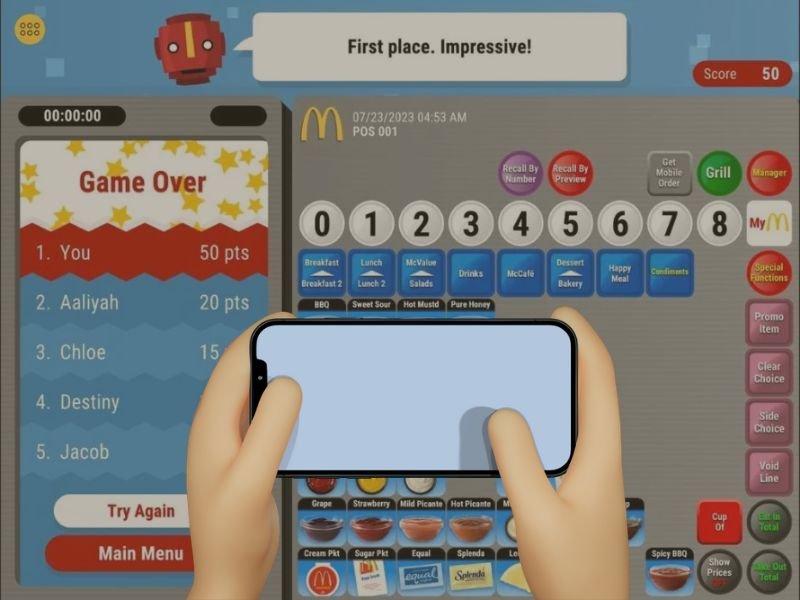
Many trainees want to practice McDonald’s POS training without installing an app. The online browser version of the McDonald’s POS Training Simulator makes this possible by offering a fast, lightweight, and installation-free way to learn cashier skills. Whether you’re using a laptop, tablet, Chromebook, or a phone browser, the online mode lets you practice order-taking, modifications, payments, and meal upgrades right away.
This guide explains how to play the McDonald’s POS Training Game online, how to optimize your device for smooth performance, and how to fix common issues like loading errors, slow performance, or unresponsive buttons.
What Is the McDonald’s POS Training Online Version?
The online version of the McDonald’s POS Training Simulator runs directly in your browser. There are no APK files, iOS installations, or app downloads required. It is suitable for users who:
- Don’t want to install anything
- Use school or work devices that block downloads
- Want fast instant access
- Prefer training on laptops or larger screens
- Need a quick practice session before a shift or interview
The interface, buttons, and order flow are identical to the genuine McDonald’s POS system, making it an ideal tool for novices.
Benefits of Using the Online POS Training Simulator
No installation required
You can open the simulator and start practicing within seconds.
Works on all major browsers
Chrome, Safari, Firefox, and Edge are supported.
Stress-free learning
No updates, no app crashes, no storage issues.
Great for short practice sessions
Perfect for on-the-go learning or last-minute preparation.
Ideal for desktops and laptops
Larger screens help beginners learn the POS layout more quickly.
Device Requirements for Smooth Online Gameplay
To access the online version without lag, your device should match these basic requirements:
For Desktop/Laptop:
- Chrome or Safari recommended
- At least 4 GB RAM
- Stable internet connection
- Updated browser version
For Mobile:
- iOS 12+ or Android 7+
- Latest version of mobile Chrome or Safari
- 2 GB RAM minimum
The online version is lightweight, but performance is still determined by browser speed and device memory.
How to Play the McDonald’s POS Training Game Online (Step-By-Step)
Step 1: Open the Online Simulator Page
This is the page where the online POS training game loads instantly.
Step 2: Let the Simulator Load Fully
The game may take a few seconds to load, depending on your internet connection. Wait until all the buttons and menu panels show.
Step 3: Choose Your Training Mode
The online version typically offers:
- Standard Mode — full cashier workflow
- Quick Game Mode — speed training drills
- Practice Mode — relaxed, self-guided training
Each mode helps build different cashier skills.
Step 4: Start Taking Orders
You can now practice:
- Selecting items
- Navigating menu categories
- Customizing meals
- Upgrading sizes
- Selecting drinks
- Processing payments
The purpose is to get comfortable with the actual POS layout used at McDonald’s restaurants.
Step 5: Use Practice Repeatedly to Build Speed and Accuracy
The more you use the online version, the faster you develop cashier instincts such as:
- Memorizing category locations
- Learning common customer orders
- Recognizing frequent customizations
- Handling meal and drink flows
Daily practice allows new crew members to prepare efficiently for their first retail shift.
Common Online Gameplay Issues and How to Fix Them
Simulator not loading
Fix: Refresh the page, clear browser cache, or switch to Chrome.
Buttons not responding
Fix: Reduce browser zoom to 100% or reload the game.
Lag or slow performance
Fix: Close any unused tabs, restart your device, or connect to a stronger internet connection.
Audio not working
Fix: Check browser sound settings or restart the tab.
Black screen or frozen layout
Fix: Reload the page or open the simulator in a private browsing window.
Why Many Users Prefer the Online Version
The online mode is popular because:
- It requires no downloads
- It is accessible on almost any device
- It offers instant practice
- It is great for quick skill refreshers
- It avoids compatibility or installation problems
This version is the simplest option for learners to develop their cashier skills.
Conclusion
The online McDonald’s POS Training Simulator provides a simple, no-installation solution for anyone who wants to learn the McDonald’s cashier system quickly. The online version is great for laptops, Chromebooks, and mobile browsers since it is easy to use, loads quickly, and simulates POS data accurately. Whether you’re preparing for a new job, learning for school, or simply practicing customer service workflow, this browser-based training mode gives you everything you need to improve your speed and confidence.