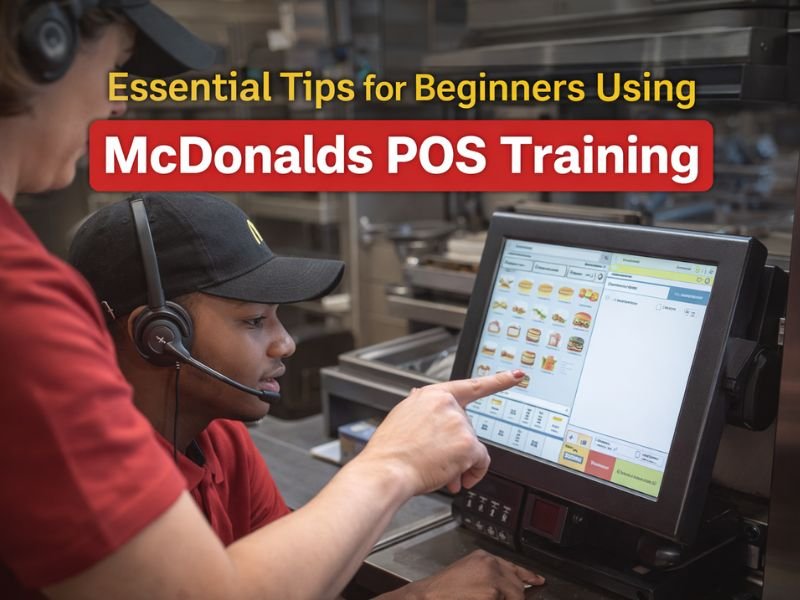
If you’re new to McDonald’s, learning the POS system can feel overwhelming at first. There are dozens of buttons, several menu categories, and customer requests that arrive swiftly during peak hours. The key is understanding how to approach McDonalds POS Training step-by-step so you can learn faster and reduce mistakes. These crucial starter recommendations will boost your confidence from the first day of training.
Start by Understanding the POS Layout
Why layout matters
Most beginners struggle because they don’t know where key objects are. Once you understand the layout, your speed increases substantially.
What to focus on
- Main menu categories
- Burgers, chicken, and snacks
- Combos and meals
- Drinks and coffee
- Breakfast items
If you take five minutes to familiarize yourself with each section, your learning curve becomes much easier.
Practice Common Orders Before Rare Ones
Why this tip works
Although not all things are ordered every day, the top 20-25 items account for the majority of consumer orders.
Focus on learning these first
- Big Mac Meal
- Cheeseburger Meal
- McChicken and nuggets
- Fries and drinks
- Breakfast sandwiches
- Iced coffee options
When these become automatic, 70% of your work becomes effortless.
Learn Modifiers Early in Your Training
Understanding modifiers
Modifiers allow customers to customize items — extra cheese, no pickles, add bacon, change size, and more.
Why beginners struggle
Most order mistakes happen because of incorrect modifiers. Learning modifiers early helps avoid confusion on your shifts.
How to practice
Open any menu item and study the various change choices. You’ll rapidly become more efficient at managing special requests.
Repeat Real-Life Order Scenarios
Why repetition matters
The fastest learners at McDonald’s don’t memorize — they repeat real-world orders until they become natural.
Examples of practice orders
- Two cheeseburger meals, both medium
- McChicken + small fries
- Large iced coffee, vanilla syrup
- Sausage McMuffin combo with hash brown
The more realistic the scenario, the greater your improvement.
Learn Payment Types and Cash Handling Basics
Payments to understand
Beginners should learn:
- Cash payments
- Card payments
- Mobile pay
- Refunds and voids
A lot of POS confusion happens when switching between payment options, so mastering this step early reduces stress and speeds up transactions.
Don’t Rush—Focus on Accuracy First
Why accuracy matters more than speed
A slow but accurate cashier causes less frustration than a rapid cashier who makes errors. When your accuracy improves, speed naturally increases.
Beginner improvement strategy
- Slow down during practice
- Confirm orders with customers
- Double-check modifiers
This creates fewer errors, and your hands automatically become faster with repetition.
Ask Trainers to Test You With Quick Order Drills
What is an order drill?
Your trainer issues rapid-fire orders that you must complete fast.
Why it helps
Order drills build muscle memory and confidence under pressure, which is essential during rush hours.
Use Every Free Minute to Practice Buttons and Navigation
Even if you don’t have any practice orders, spend time browsing categories and examining screens. Knowing where buttons are located is half of McDonalds POS Training.
Conclusion
Learning McDonalds POS Training becomes much easier when you follow a structured approach: understand the layout, practice common items first, learn modifiers early, repeat real-world scenarios, and stay accurate while building speed. With consistent practice and the proper procedures, beginners can rapidly become confident and efficient McDonald’s cashiers.