
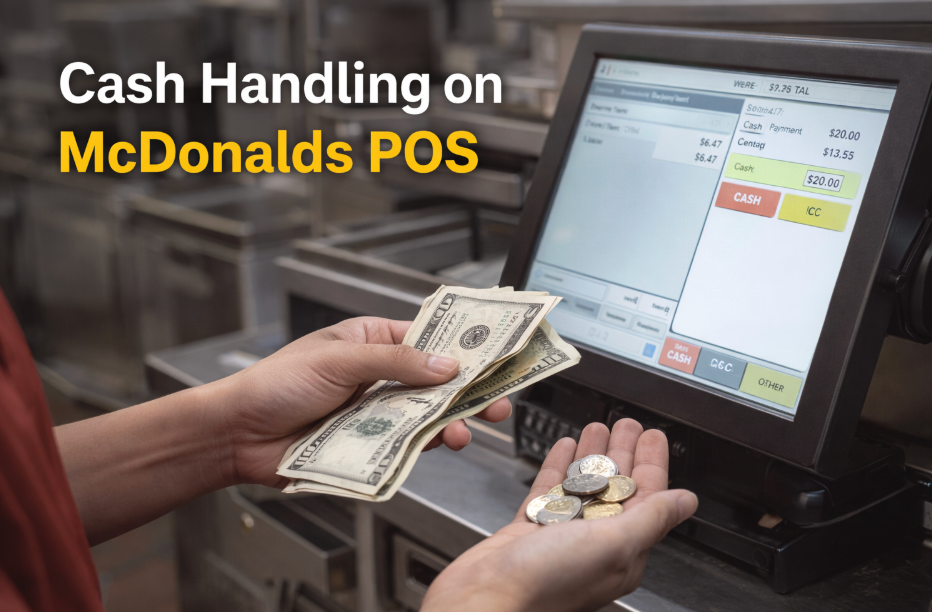
Cash handling is one of the most responsible jobs for new McDonald’s employees, especially during peak hours when there is little time to think. Even though McDonalds POS Training calculates totals automatically, you still need to know how to enter amounts correctly, verify what customers hand you, and give change with confidence. When there are several clients in queue, many beginners pause, second-guess, or panic. With the right techniques, however, cash handling becomes smooth, predictable, and easy to manage. This article provides extensive, beginner-friendly instructions to help you learn cash transactions within McDonalds POS Training.
Understand How Cash Payments Work on the POS System
Why basic understanding matters
Although the POS system handles the majority of the calculations, beginners must still understand the payment window. When you know exactly where totals, balances, and change amounts appear, you can respond faster and avoid entering incorrect figures, which is the most common issue among new cashiers.
What the POS displays
The payment section typically shows:
- Total item cost
- Taxes added
- Final amount the customer must pay
- Amount given by the customer
- Change the system calculates automatically
Learning these concepts early allows you to focus on communication rather than maths, which boosts confidence during real-world customer interactions.
Practice Entering Common Cash Amounts
Start with simple amounts
Most customers pay with basic bills like $5, $10, or $20. Because these quantities appear frequently during real shifts, learning them helps new employees comprehend the flow of collecting cash and inputting amounts into the POS.
Why this helps
Repeating these entries teaches you the proper buttons, trains your fingers to move more quickly across the interface, and minimises hesitancy. Over time, you’ll develop muscle memory, which is crucial for handling back-to-back transactions.
Always Count Cash Out Loud to Avoid Mistakes
Why counting out loud works
To avoid mistakes, Speaking the amount prompts your brain to double-check the value before entering it. It also increases customer trust, particularly in busy workplaces where misconceptions are common.
Example
Saying something like “You gave me twenty dollars, your change will be…” reassures both you and the customer. ItPrevents scenarios in which cashiers misheard or misremembered the amount, resulting in embarrassing corrections or supervisor intervention.
Learn How the POS Shows Change Amount
Understanding the change display
The POS system automatically calculates the precise change, but beginners may rush and miss the screen. Carefully reading the change amount significantly prevents errors.
Why beginners get confused
Stress or pressure often makes new employees try to calculate change mentally. However, while you’re new, mental calculations slow you down. Relying on the POS screen allows you to remain accurate without adding stress.
Practice Handling Coins and Bills Quickly
Why coin handling is difficult for new employees
Coins are small and require prompt identification. Beginners frequently panic during busy hours while making a change that requires various coin types.
How to improve
Practicing coin combinations improves speed. When you understand the weight, size, and value of each coin, you will be able to perform monetary transactions with ease. Being quick with coins also helps in drive-thru lanes, where speed is especially important.
Use Both Hands When Giving Back Change
A fast-food cashier technique
Using both hands allows you to separate coins and bills so that the consumer receives their change cleanly. This lowers the possibility of dropping coins or giving the incorrect amount.
Why this improves workflow
This method is standard across fast-food chains because it increases speed and reduces mistakes, especially when cash drawers need to stay organized during peak hours.
Understand the Difference Between Exact Cash and Overpayment
Exact cash
When customers provide an exact amount, you do not need to enter anything manually. Tapping the exact payment button immediately cancels the order.
Overpayment
When customers give you more than the total, always record the amount before concluding the sale. This ensures that the POS calculates the appropriate change automatically.
Why this matters
Beginners frequently hit the wrong button or forget to enter the amount, resulting in incorrect change. Practicing this cycle allows new staff to maintain accuracy and avoid rectification delays.
Practice Cash Handling Under Time Pressure
Simulate real rush hour
Rush hours can be unpleasant, especially when customers create large lines. Practicing under time constraints helps you develop the tranquillity required for actual shifts.
A simple training method
Set a short timer and practice entering different payment amounts repeatedly. Over time, this builds speed, accuracy, and confidence, which will make you more efficient during peak hours.
Learn How to Handle Cash Refunds Correctly
Why refunds confuse beginners
Refunds include undoing the initial transaction and returning the right amount. Beginners sometimes return the incorrect amount or fail to confirm with the consumer.
What to focus on
Understanding the refund screen avoids confusion. A fast evaluation of the refund total ensures that you are returning the correct amount, keeping the process seamless and professional.
Review the Order Summary Before Finalizing Payment
Cashiers frequently make mistakes when they rush through payment without first examining the order specifics. Spending only one second examining the order summary allows you to spot errors early. This saves money on refunds and corrections while also demonstrating to customers that you value accuracy.