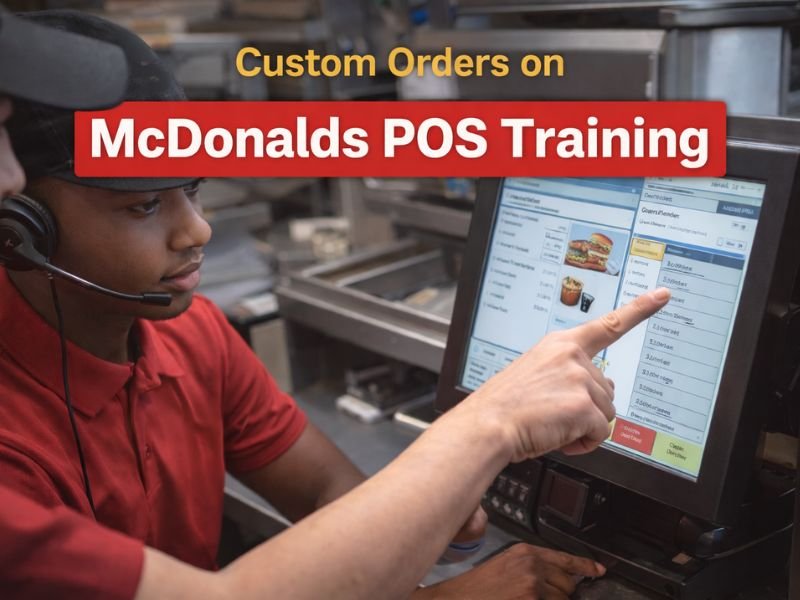
One of the most challenging parts of learning the McDonald’s POS system is handling special requests and customizations. Customers frequently request adjustments such as no pickles, bacon, additional cheese, a large meal upgrade, and more. These demands can be overwhelming for new employees, but if you understand how modifiers function, they are simple and quick to implement. This guide explains how to practice modifiers and custom orders effectively within McDonalds POS Training, so you can reduce mistakes and improve your confidence.
Why Modifiers Matter in McDonalds POS Training
They affect order accuracy
Most order errors occur when beginners neglect to apply a customisation. Using modifiers correctly guarantees that the order is exactly what the buyer expects.
They impact customer satisfaction
Customers want their particular requests to be correct. Learning modifiers early on ensures a pleasant service experience.
They improve your speed
When you know where modifiers are located, you can easily increase your speed automatically, especially during rush hours.
Understand the Modifier Screen First
What the modifier screen includes
The modifier screen typically shows options such as:
- No ingredient options
- Add-ons or extras
- Size upgrades
- Combo changes
- Special instructions
Why this screen is important
Every customised item passes through this area. Learning how to browse this page quickly is critical to efficiency.
Start Practicing Basic Modifiers
Common beginner-level modifiers
These appear in many orders, so mastering them early helps you learn faster:
- No pickles
- No onions
- No cheese
- Add cheese
- Add bacon
- Extra sauce
How to practice
Choose one item, such as a cheeseburger, and apply all potential modifiers. This allows you to understand how each selection influences the final order.
Learn Combo and Size Modifiers
Why size upgrades are important
Customers frequently modify drink or fry sizes, and these changes must be made immediately.
Practice these changes
- Small → Medium → Large
- Regular fry → Large fry
- Drink size upgrades
- Meal customization for breakfast vs lunch items
Practicing these transitions helps you move through the menu faster during real shifts.
Practice Removing Ingredients Properly
Removing vs deleting
Beginners frequently erase the entire item when a buyer merely needs a minor change. This consumes time and creates misunderstanding.
Correct method
Use the modifier screen to remove specific ingredients:
- No mustard
- No ketchup
- No lettuce
- No mayo
Understanding the difference helps you avoid unnecessary item deletion.
Train with Realistic Custom Order Examples
Practicing real-world order scenarios is the most effective approach to develop.
Examples you should practice
- “A Big Mac Meal, no pickles, extra cheese, large drink.”
- “Two McChickens — one plain, one with extra mayo.”
- “Quarter Pounder with Cheese, no onions, add bacon.”
- “Sausage McMuffin, no egg, add cheese.”
- “Iced coffee with caramel syrup, no ice.”
Why this helps
These examples reflect genuine customer behaviour, thus rehearsing them minimises stress during shifts.
Learn to Modify Items Quickly During Rush Hours
The challenge
Customers speak quickly, and orders come back-to-back. You must apply customizations at the same speed.
Practice technique
- Listen to sample orders
- Repeat them yourself
- Enter them into the simulator instantly
The more repetition, the faster you build muscle memory.
Practice Fast Corrections for Mistakes
Why this matters
Even skilled cashiers sometimes make mistakes. The trick is to correct them promptly.
How to practice
- Open the wrong item
- Use modifier or edit buttons
- Fix the issue without deleting the entire order
Being able to quickly fix alterations gives you confidence in front of customers and trainers.
Build a Modifier Routine That Works for You
Every cashier develops a habit that allows them to use modifiers safely.
Helpful routines
- Add the item first, then immediately open modifiers
- Confirm changes out loud
- Review before finalizing the order
Developing your own workflow helps you learn McDonalds POS Training faster and more effectively.
Conclusion
Modifiers are one of the most important parts of McDonalds POS Training, and mastering them early will dramatically improve your accuracy, speed, and confidence. You can easily handle even the most complex bespoke orders by practicing fundamental adjustments, size upgrades, ingredient removal, realistic scenarios, and quick repairs. With steady practice and the right techniques, you’ll become a reliable and efficient cashier in no time.